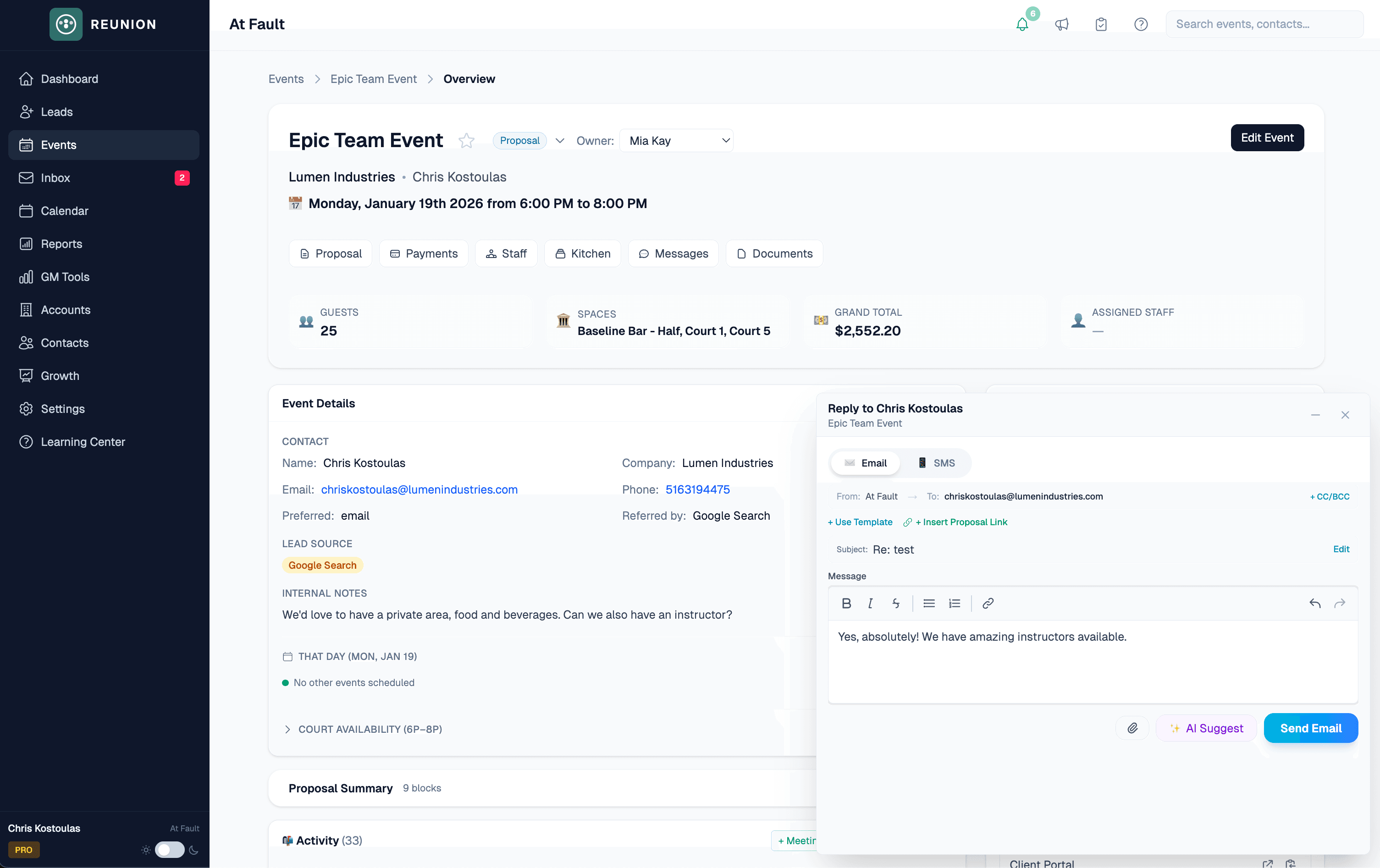
Unified inbox
One conversation, not two tools.
Keep email, SMS, event details, and your team's next action together in the same client thread.
Loading your event pipeline…
Every event, under control.
Reunion for teams evaluating Tripleseat
Run every inquiry, follow-up, proposal, signature, and payment in one calm workspace your team can learn quickly and use every day.
See it on your workflow
Built-in Tripleseat importer for supported records. Monthly billing is available.
Inquiry arrives
Follow-up runs
Proposal goes out
Client signs
Deposit lands
Live with private-event teams across the country




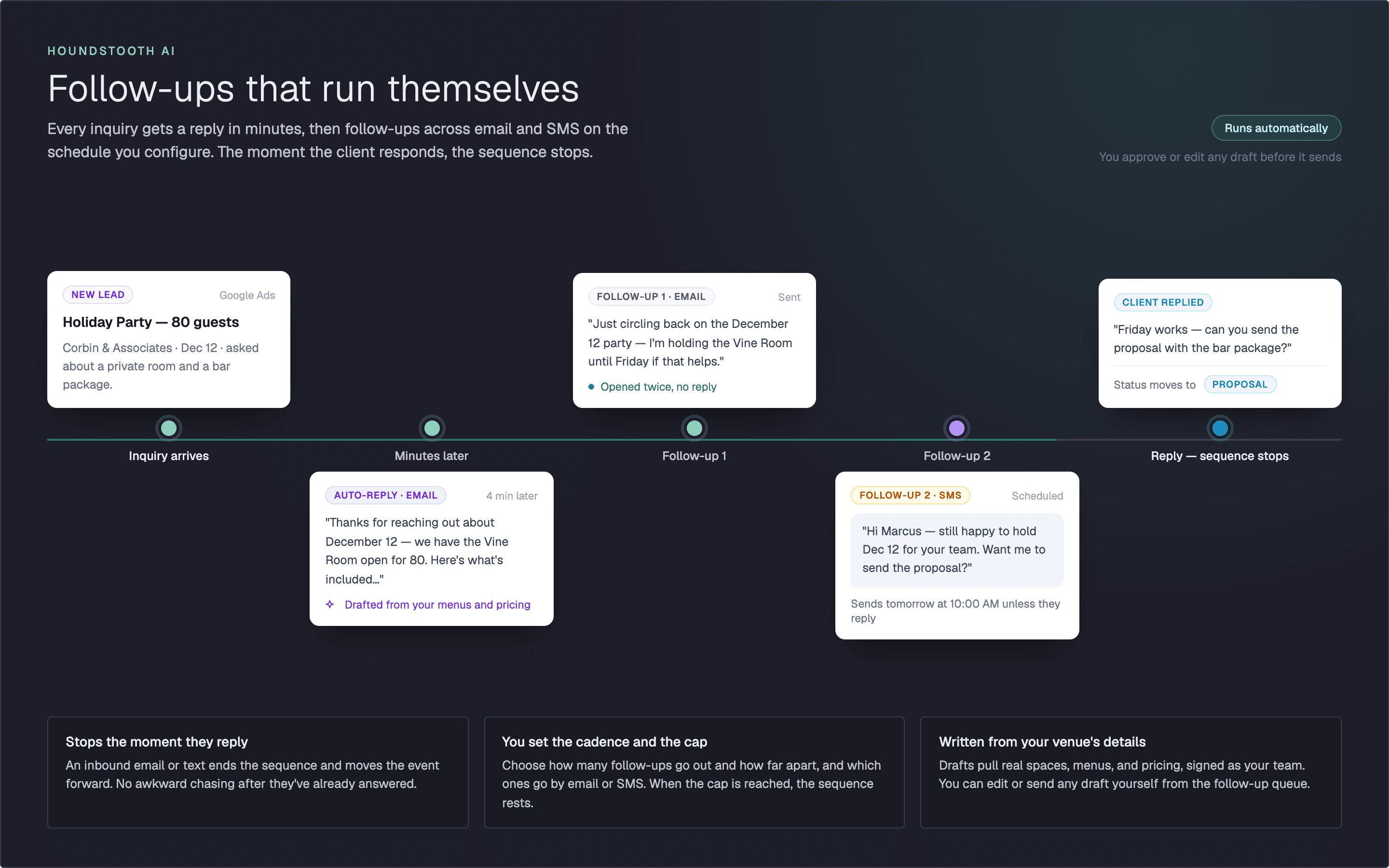
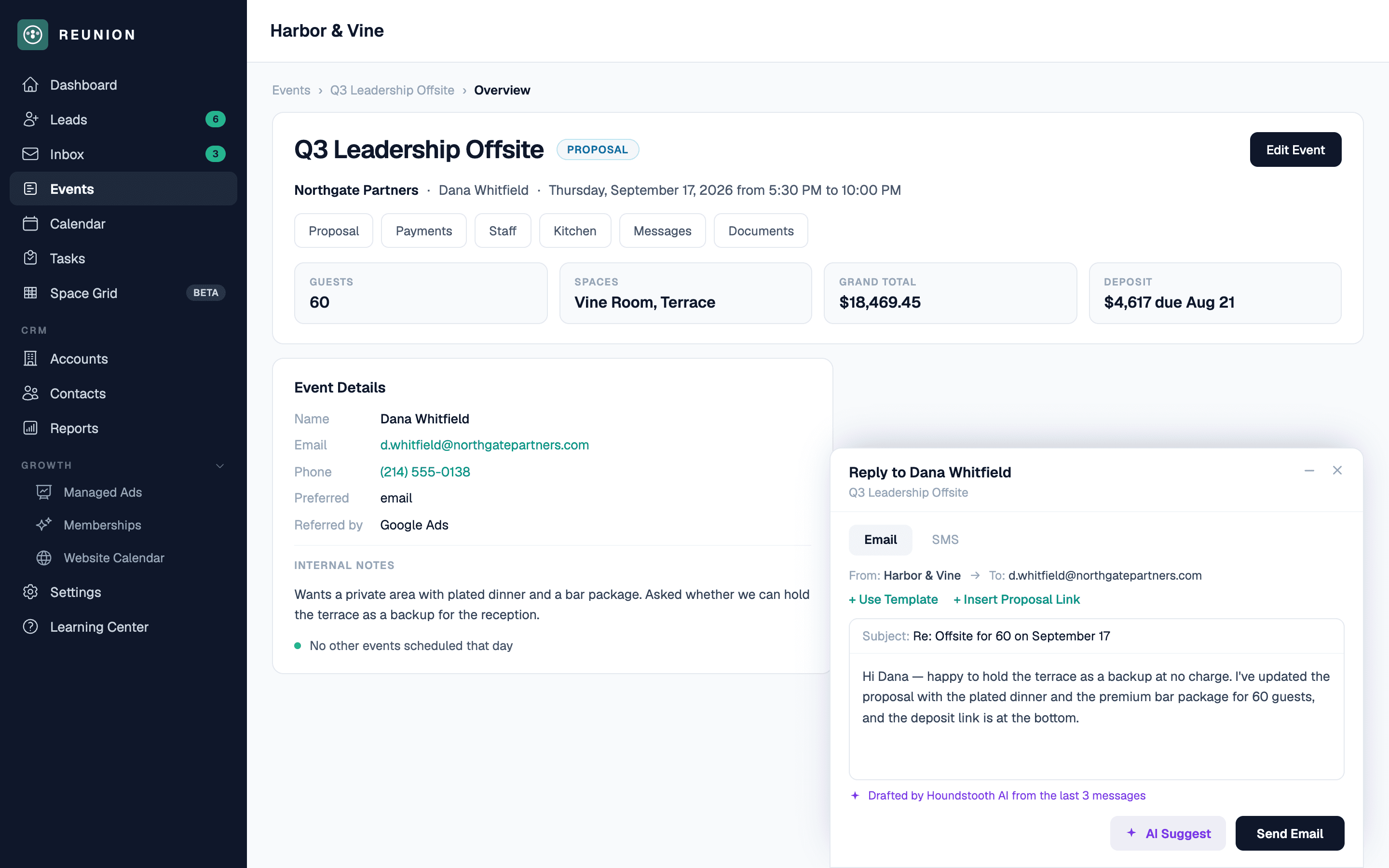
Automatic follow-up
Reunion follows up with the right event context and gives your team control over timing, tone, and whether a message is reviewed or sent automatically.
Modern by design
Reunion keeps the private-event workflow visible and connected, so a new rep can find the next action without learning a maze of disconnected screens.
Unified inbox
Keep email, SMS, event details, and your team's next action together in the same client thread.
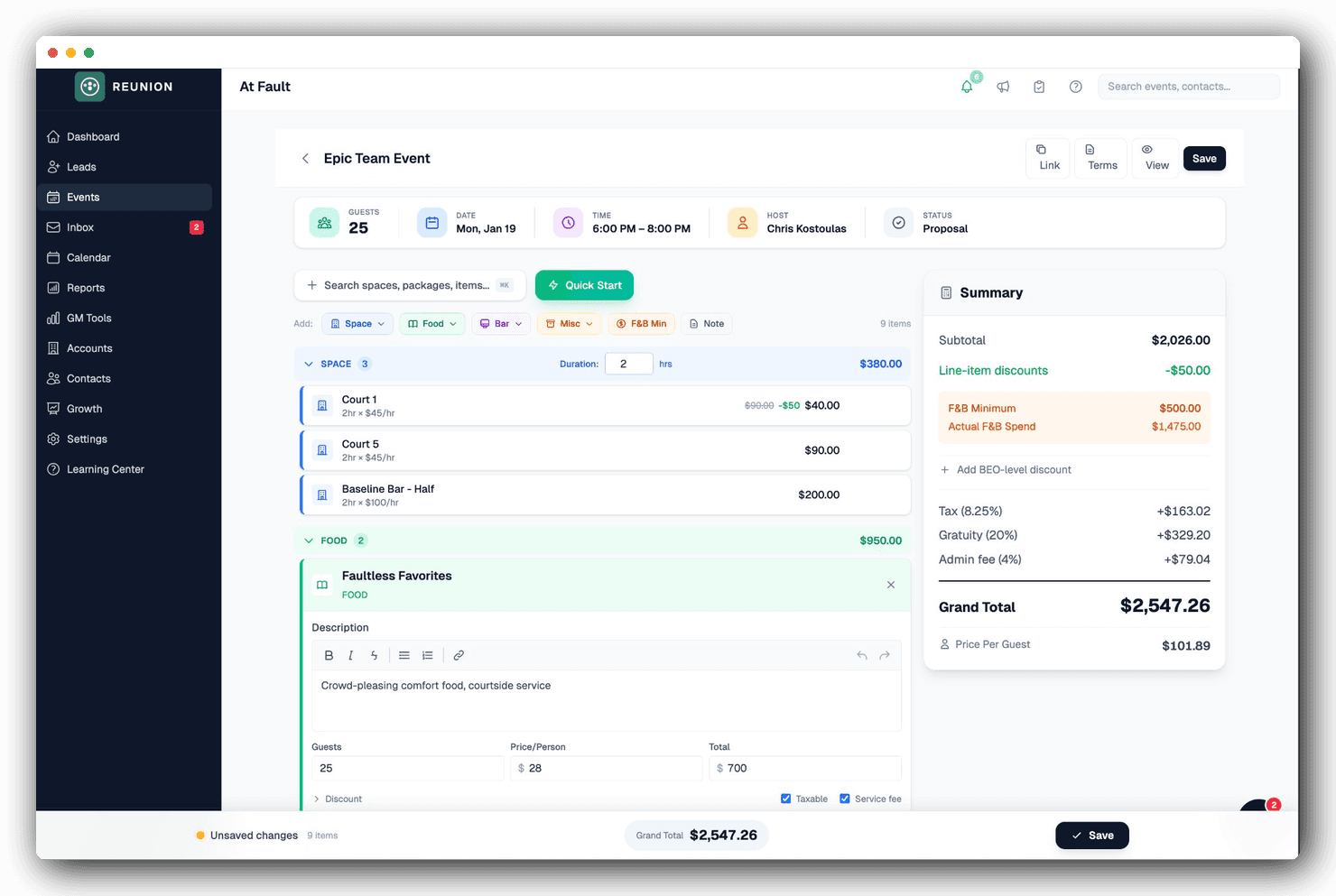
Proposal builder
Turn event details into a polished proposal and BEO with packages, terms, e-signature, and payments built in.
Client experience
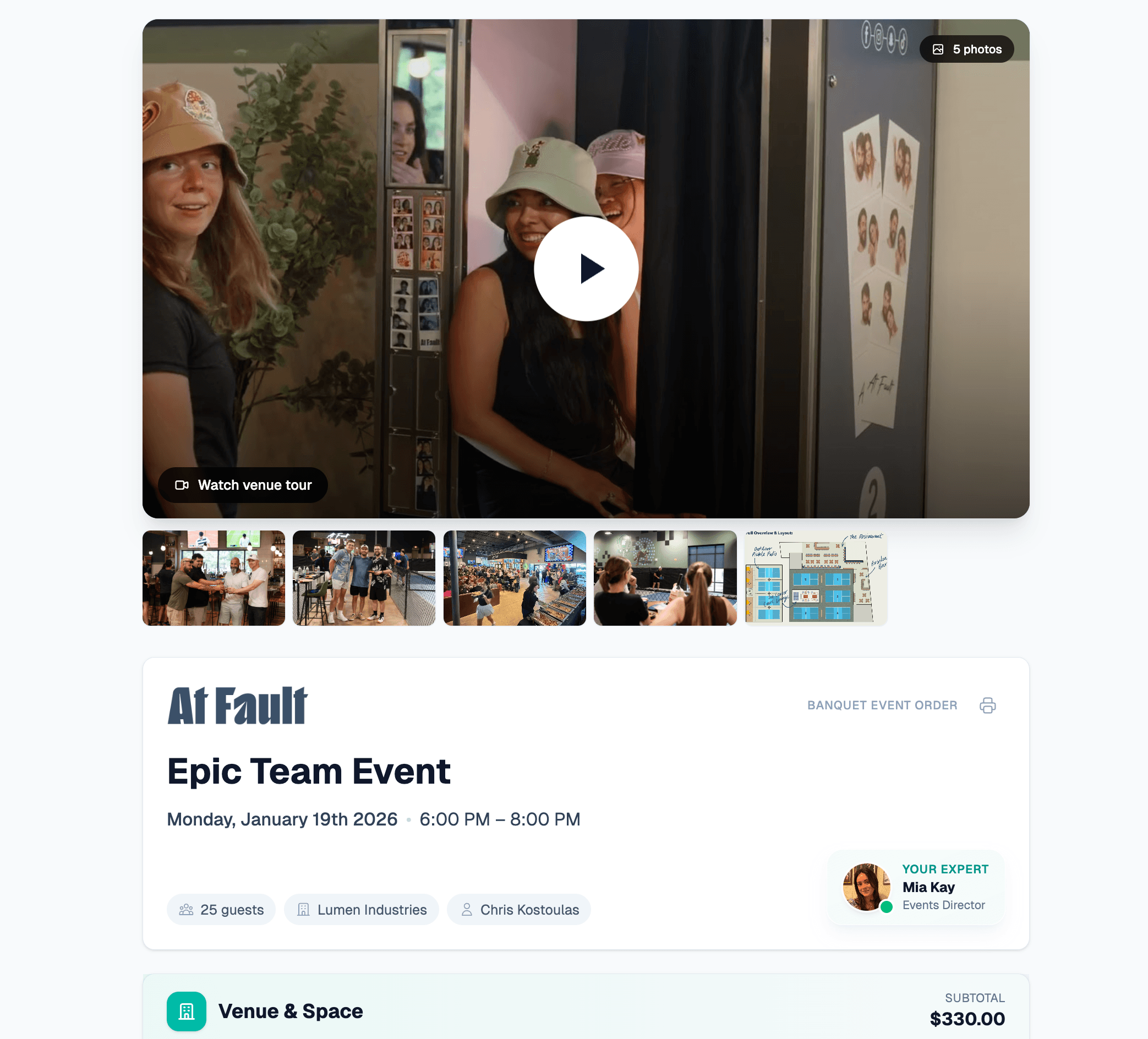
Present the venue, packages, and optional upgrades clearly, then move directly into e-signature and deposit collection.
Our private event process is more streamlined with Reunion. I can build custom digital proposals that update as needed, and the whole team sees every client conversation in one place.
Stella ShepherdThe Greats of Craft
Straightforward pricing
Monthly billing is available. Discounted annual billing is optional.
Essential
The core private-event workflow for a focused team.
Pro
Unlimited team members plus SMS, integrations, and advanced tools.
Onboarding
Configuration and a guided start with the Reunion team.
A guided Tripleseat import
Reunion includes a dedicated Tripleseat importer for supported accounts, contacts, events, and available history. We validate the result with your team and configure the new workflow before the inquiry form changes.
Map spaces, menus, lead forms, integrations, active events, and the workflows your team relies on.
Bring supported accounts, contacts, events, and available history into Reunion for review.
Set up spaces, menus, proposal templates, branding, lead forms, and integrations.
Review record counts and active events with your team before choosing the cutover date.
Parallel setup and monthly billing are available. Your team chooses the cutover date after the new workflow has been validated.
The details
Timing depends on record volume, source-data quality, and workflow complexity. Reunion has a built-in Tripleseat importer for supported records, and we confirm the import and configuration scope before your team changes systems.
Supported accounts, contacts, and events within the selected import window, plus available notes, document summaries, event totals, and deposit fields when Tripleseat provides them. Branding, lead-form fields, spaces, packages, and integrations are configured during onboarding rather than assumed to import automatically.
You can keep Tripleseat and the existing inquiry form live during setup. After the imported records and Reunion workflow are validated, we coordinate the form cutover with your team. No migration can guarantee that an external form or vendor will never fail, so we verify the new path before launch.
Reunion Platform plans can be billed month to month and cancelled without a required annual Reunion contract. Discounted annual billing is optional.
We map them during onboarding. Reunion has direct integrations with Stripe, GoTab, PodPlay, CourtReserve, and email/SMS providers, and supports webhooks for custom flows. If you have a specific Tripleseat integration that's load-bearing, mention it on the migration call and we'll confirm a Reunion equivalent before you sign.
We train the team on the day-to-day flow for leads, proposals, signatures, payments, and client communication. Session length depends on each role and the workflows being configured.
Reunion Essential starts at $99/month and Pro is $199/month, with a one-time $199 onboarding fee. Pro includes unlimited team members. Ask Tripleseat for a current quote and compare the full plan, user, onboarding, payment, and contract terms directly.
Your access to Tripleseat is controlled by your Tripleseat agreement and account settings. Many teams choose to keep the source system available while they validate Reunion, but you should confirm access and cancellation terms directly with Tripleseat.
Need a feature-by-feature view? Compare Reunion and Tripleseat
See the difference
We'll walk through the exact flow your team uses today and show where Reunion makes it faster and easier.
Book a 15-minute demoEvaluating Perfect Venue too? See that switch page